Six Feedback Layers Behind Satisfying Combat
This text explores how adding six distinct feedback layers—hitstop, camera shake, target reaction, knockback, particles, and sound—to a single attack animation can significantly improve the perceived satisfaction of combat in action games.
What the Demonstration Shows
For developers tuning action-game combat, a useful question is what changes when the attack animation stays the same. The creator progressively adds six feedback layers to one attack: hitstop, camera shake, target reaction, knockback, particles, and sound. The demonstration makes their combined contribution visible, but supplies neither a controlled player study nor a public code repository. Its evidence is a qualitative comparison, not a universal recipe for a particular level of enjoyment.
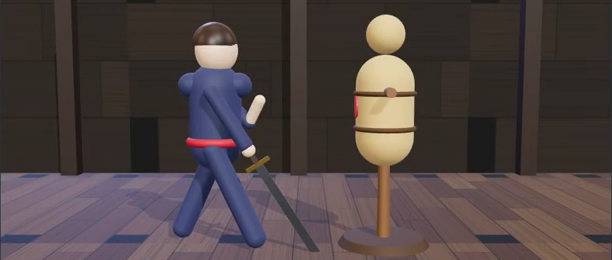
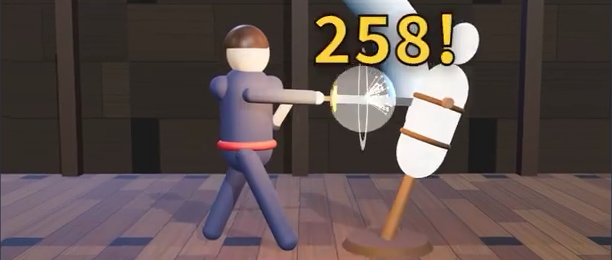
Video frames: creator’s original demonstration. The panels show different animation phases; still images cannot demonstrate hitstop timing or sound.
The practical insight is that light and heavy attacks can share a feedback system while using different timing and intensity. The creator describes a shorter pause and smaller shake for light attacks, versus a longer pause, stronger shake, and an additional impact-frame effect for heavy attacks. No universal numerical preset is provided.
How the Layers Fit Together
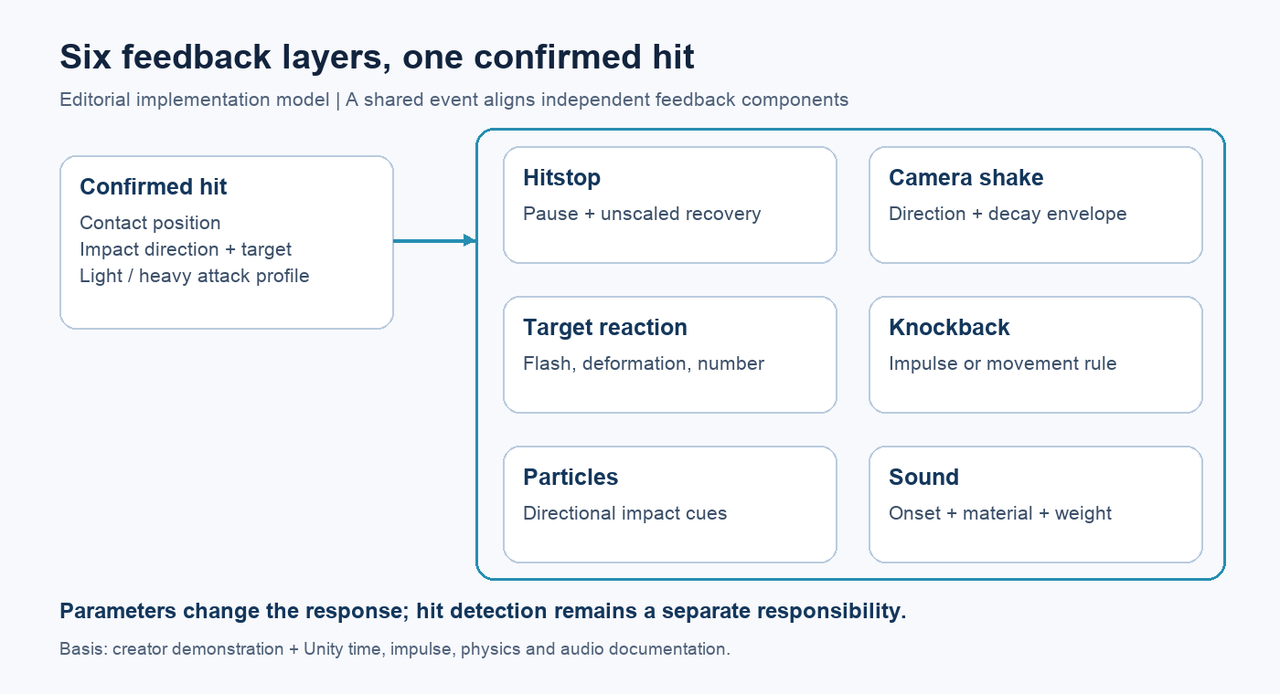
An implementation can treat a confirmed hit as a shared event carrying the contact position, impact direction, target, and attack profile. Independent feedback components consume that event. This event-based architecture is an editorial implementation model, not a reconstruction of unpublished source. It separates hit detection from presentation while keeping visual, physical, and audio responses tied to the same contact.
Hitstop briefly suspends motion at contact. In a Unity implementation that pauses scaled game time through Time.timeScale, the recovery timer must use an unscaled clock: otherwise the timer can pause with the action. Unity documents that FixedUpdate and coroutines waiting with WaitForSeconds stop when timeScale is zero, whereas Time.unscaledDeltaTime remains independent of that scale. A localized animation pause is another design choice; the original post does not identify which mechanism it uses. Time scaling; unscaled timing.
Camera shake can follow a short envelope with a rapid decay. Unity’s Cinemachine Impulse formalizes this as an event-triggered source, a directional signal with a strength-over-time curve, and a listener attached to the camera. The signal shape and duration can vary by attack without changing the camera controller. Cinemachine documentation.
Target reaction and knockback serve different roles. A flash, deformation, or damage number communicates contact; displacement changes the target’s physical or gameplay position. For an active, non-kinematic Unity Rigidbody, AddForce with ForceMode.Impulse produces a velocity change equal to impulse divided by mass, independent of simulation-step duration. A character controller may instead implement its own movement rule. This distinction matters when tuning apparent force without accidentally changing combat spacing. Rigidbody documentation.
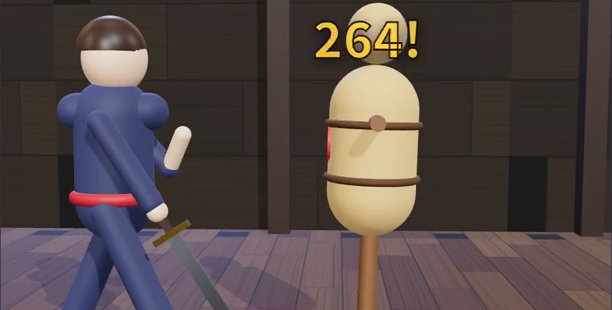
Particles communicate impact direction, while sound combines onset, material character, and perceived weight. The creator proposes low-, mid-, and high-frequency layers. Unity’s AudioSource.PlayOneShot can trigger overlapping clips without cancelling those already playing, but their levels still need balancing: its documentation notes that volume scaling above one can cause clipping. Audio layering therefore requires mixing, rather than simply making each layer louder. Audio documentation.
Applications and Evidence Boundaries
The six-layer breakdown is useful for reviewing melee prototypes and identifying which response is missing or mismatched. An editorial tuning workflow is to keep the action and camera framing fixed, enable one layer at a time, then compare light and heavy profiles. Record pause duration, shake envelope, displacement, particle direction, and sound balance separately so a visual change is not confused with a gameplay change.
This material is a creator demonstration plus an engine-based explanation, not a released plugin, AI model, or academic method. The creator has not published a future-work section or TODO list in the reviewed source, so no development roadmap is asserted here. The Unity examples explain available mechanisms; they do not establish how the original video was implemented.
FAQ
Do all six layers need to be equally strong?
No. The creator varies their timing and intensity between light and heavy attacks. The demonstration supports adjustable layers, not one maximum-strength preset.
Why can a hitstop implementation get stuck?
If it pauses scaled time and waits for a scaled timer to finish, the recovery logic may stop too. Unity’s unscaled timing provides a clock that continues independently.
Can I download the demonstrated combat system?
The reviewed post provides no public repository or downloadable system. The linked Unity APIs can support an implementation, but they are not a release of the creator’s project.