Multi-View to3D Model
What Is V2Fun's Multi-View 3D Model Generator?
Upload front, side, and back reference images and V2Fun's AI 3D model generator applies advanced spatial analysis algorithms to produce structurally complete, geometrically precise AI generated 3D models. Designed for character design, industrial modeling, and AI 3D print model generation where accuracy is non-negotiable — delivering physically rigorous, production-grade assets through one of the highest-precision multi-view reconstruction pipelines in online 3D modeling today.
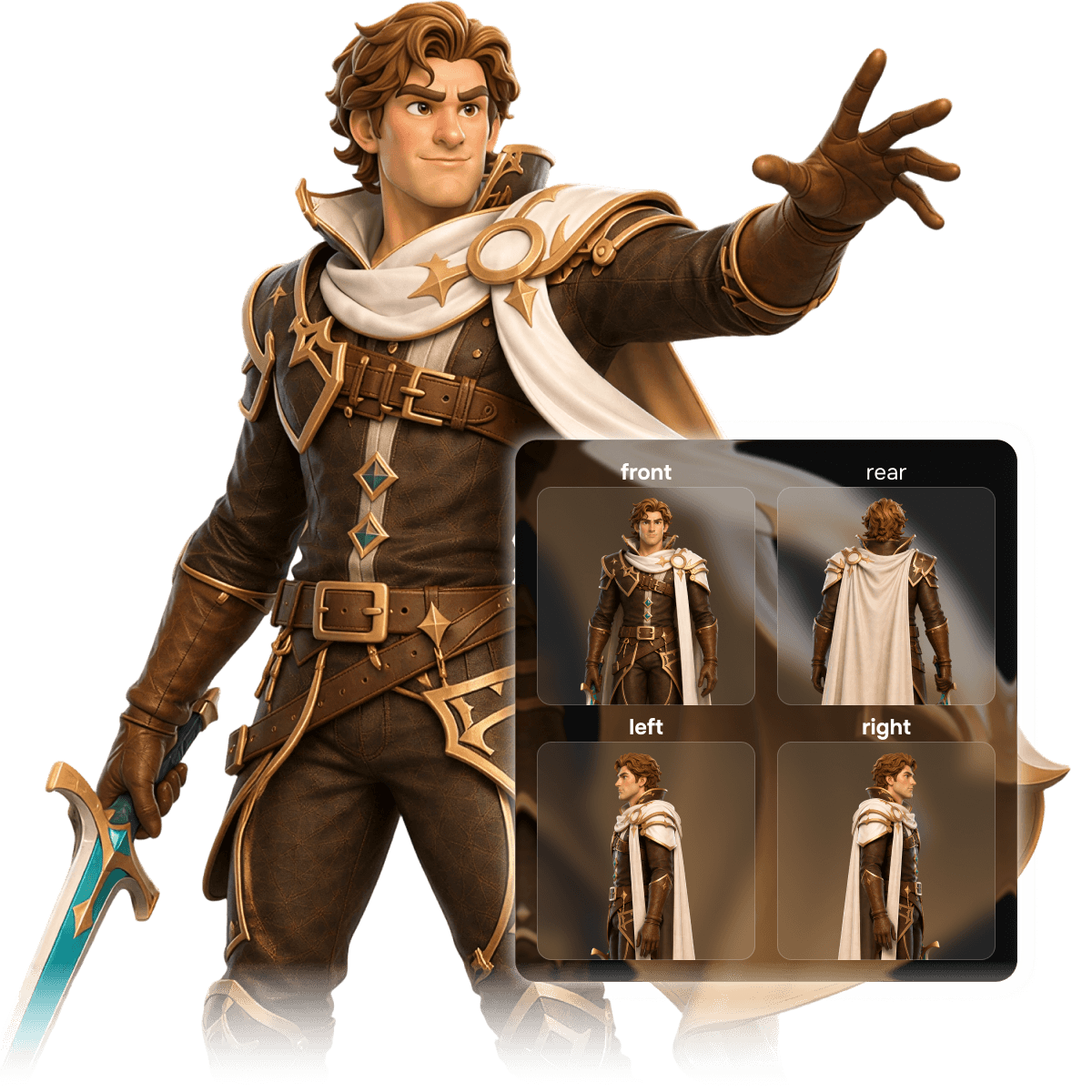
Pro-level Multi-View 3D modeling
Why V2Fun Multi-View Is the Highest-Precision AI 3D Model Generator Solution
Precision AI 3D Geometric Reconstruction
Precise Spatial Alignment
AI Auto-Parses Multi-View
V2Fun's AI 3D model generator automatically parses the spatial relationships across all four views, ensuring every AI generated 3D model maintains precise proportions and physically accurate structure. Whether for online 3D modeling workflows or AI 3D print model generation, every output delivers industrial-grade geometric reliability.
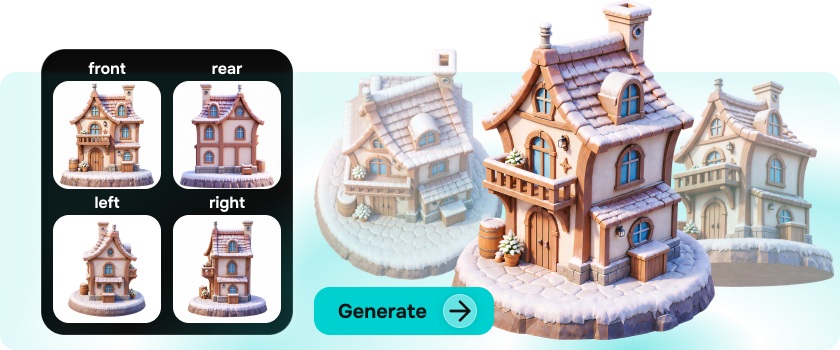
Eliminate Single-Image Blind Spots
360° AI Generated 3D Models with No Hidden Gaps
Multi-dimensional input completely solves the back-occlusion and detail loss problems inherent to single-image generation. V2Fun's AI 3D creation platform delivers true 360° blind-spot-free modeling — AI generated 3D models with complete, detailed back structures ready for game development, film production, and AI 3D print model generation across all use cases.
High-Fidelity Reproduction
Precise Reference Matching, No More Random AI 3D Model Output
V2Fun faithfully reproduces character traits, artistic style, and structural detail from reference images — ensuring every AI generated 3D model matches the original concept with precision. No random outputs, no guesswork. Consistently controlled results make V2Fun one of the most reliable AI 3D model generator solutions available.
Workflow Integration
Seamless Pipeline from AI Image Generation to Multi-View 3D
Seamlessly transition from AI image generation to multi-view modeling — one click uploads all angles and initiates AI 3D model generation. Outputs feature clean topology and natural lighting, ready for direct integration into AI automatic rigging and animation workflows. V2Fun's AI 3D creation platform consolidates what was once a fragmented professional pipeline into one continuous flow, dramatically improving productivity from concept to deliverable asset.
3 Steps to Multi-View 3D modeling
How to Generate High-Precision AI 3D Models with V2Fun's Multi-View Feature
Prepare Multi-View Assets
Precise AI 3D Models
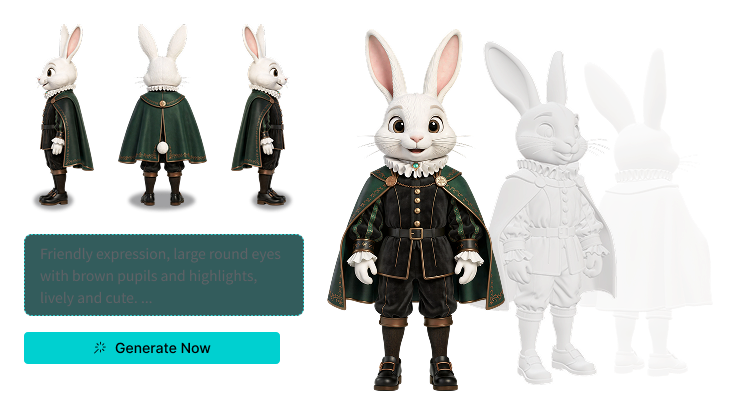
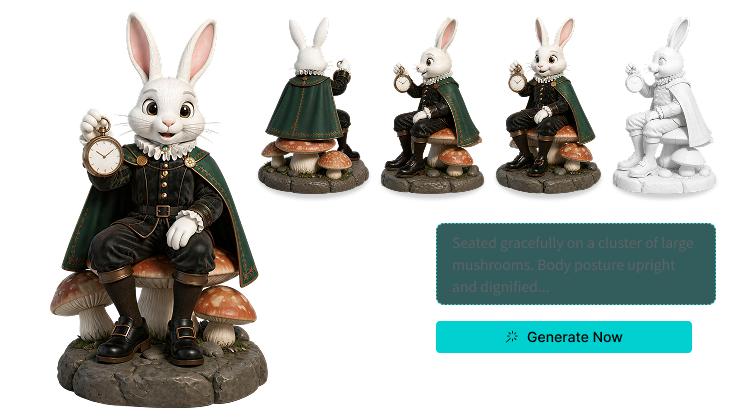
High-quality input is the non-negotiable foundation for precise AI generated 3D models. Prepare your own front, side, and back reference artwork from third-party software, or use V2Fun's "Generate Multi-View" feature to convert a single AI modeling reference image into a standard four-view set with one click. The system automatically calculates side and back perspectives with full spatial consistency — providing the AI 3D model generator with the optimal input foundation.
Upload View Images
One-Click Auto-Distribution
After multi-view generation, no manual saving is needed. Click "Generate Model" and all four view images are automatically and precisely distributed to their designated positions in the model generation workspace — dramatically streamlining asset preparation. For AI-generated four-view sets, one click handles all distribution; for existing assets, select "Multi-View to 3D Model" in the workspace and drag each view image to the corresponding upload zone. V2Fun's AI 3D creation platform compresses complex manual operations into minimal steps, making online 3D modeling truly barrier-free.
Launch Cloud Modeling
Generate Fully Structured AI 3D Models in Seconds
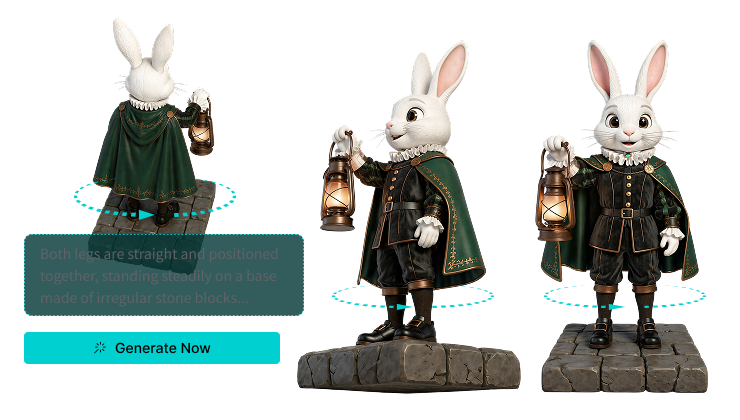
Once all four view assets are confirmed, click generate and V2Fun's cloud computing completes a fully structured AI generated 3D model in seconds to 1-2 minutes. Preview the result in 360° real time to verify structural accuracy against your design intent, then export directly to online 3D modeling tools, AI 3D print model generation workflows, or game engines — no local high-performance hardware required at any stage.
AI Image Creation Like a Pro
Maximize Structural Quality in V2Fun's Multi-View AI 3D Model Generation Pro Modeler's Optimization Guide for AI 3D Model Generation
Multi-View Consistency
Maximize AI 3D Model Generator Accuracy
The key to successful multi-view modeling is feature consistency across all views. Use V2Fun's AI image generation with the nanobanana series, gpt-image series, or the "Generate Multi-View" shortcut to ensure perfect synchronization of art style, costume detail, and body proportion across front, side, and back views. The higher the input consistency, the higher the AI 3D model generator's geometric synthesis accuracy — and the more stable the quality of every AI generated 3D model output.
T-Pose Standard
Build the Right Structural Foundation for AI Automatic Rigging & Animation
For character AI generated 3D models, always use standard T-Pose (arms horizontally extended) across all views. This posture enables precise AI joint recognition, significantly improves AI automatic rigging success rates, and prevents structural merging during motion transfer — ensuring smooth, natural character animation performance directly compatible with game and film production pipelines.
Clean Backgrounds & Even Lighting
Eliminate Algorithm Interference in AI 3D Model Generation
When preparing multi-view assets, prioritize clean backgrounds and even lighting — avoiding strong shadows and complex occlusions that can mislead the system's depth inference. Use V2Fun's recommended "reference image + prompt" approach to actively constrain backgrounds through prompt engineering, improving AI 3D model generator output stability, reducing geometry distortion from input noise, and ensuring consistently high-quality results in every online 3D modeling session.
Targeted Export Formats
Precisely Match Game Development & AI 3D Print Model Generation
After generation, select the export format based on your downstream use: FBX for game development to preserve complete geometry and rigging data; STL or 3MF for AI 3D print model generation — V2Fun's AI generated 3D models feature clean enough topology to feed directly into slicing software without repair. For online 3D modeling downstream tools, GLB offers the broadest compatibility across platforms and engines.