Blender Skills: A Production Workflow for AI Agents
Blender Skills is a system of instructions enabling AI agents to plan and execute 3D modeling tasks within Blender, producing editable scenes and validated asset exports based on user-defined specifications.
Highlights and Results
Blender Skills is a collection of instructions that helps an AI agent plan and execute 3D work inside Blender. A request can describe an asset, supply a reference image, and specify a target engine, style, polygon budget, or export format. The intended result is an editable Blender scene followed by validated asset exports. The checked repository contains 94 specialist skills and 175 reference files, spanning modeling, materials, lighting, animation, optimization, and delivery. Official repository.
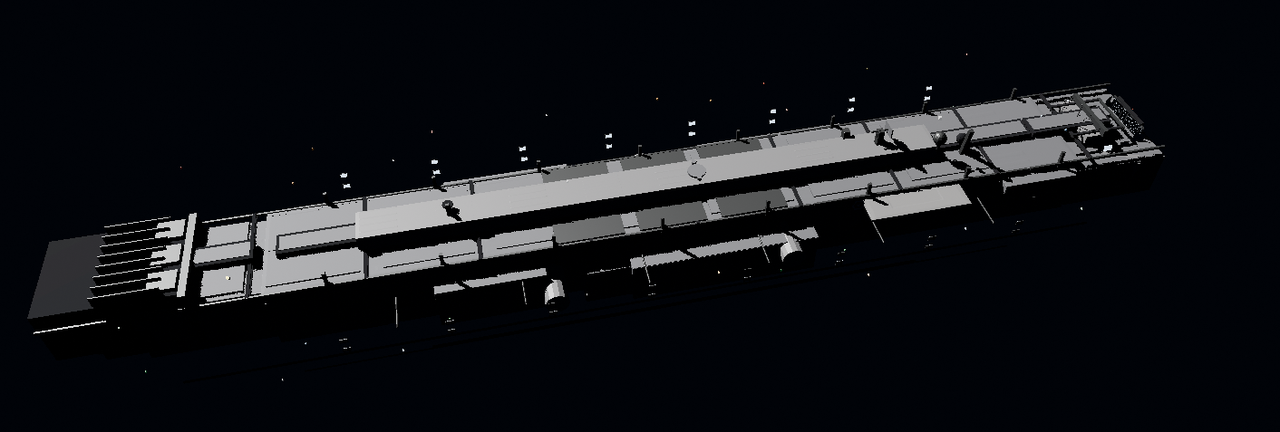
The useful contribution is its production structure: a director selects relevant disciplines, each stage has explicit constraints, and screenshots and scene queries feed corrections back into the work. The official site shows a spacecraft example, but the reviewed materials provide no quantitative benchmark or controlled success-rate comparison. Its quality gates describe how agents should work; they do not establish that every generated asset is production-ready. Project site.
How It Works
The workflow begins with blender-director. It identifies the asset type, platform, visual style, animation needs, and delivery format, then writes a production brief with polygon and texture budgets. Routing tables connect these choices to specialist instructions: a mechanical prop might proceed through hard-surface modeling, UVs, materials, optimization, and export, while a character requires topology, rigging, and animation stages. The routing lives in Markdown instructions consumed by the host agent; the repository does not supply a new trained 3D generator or a separate autonomous scheduling engine. Director implementation.
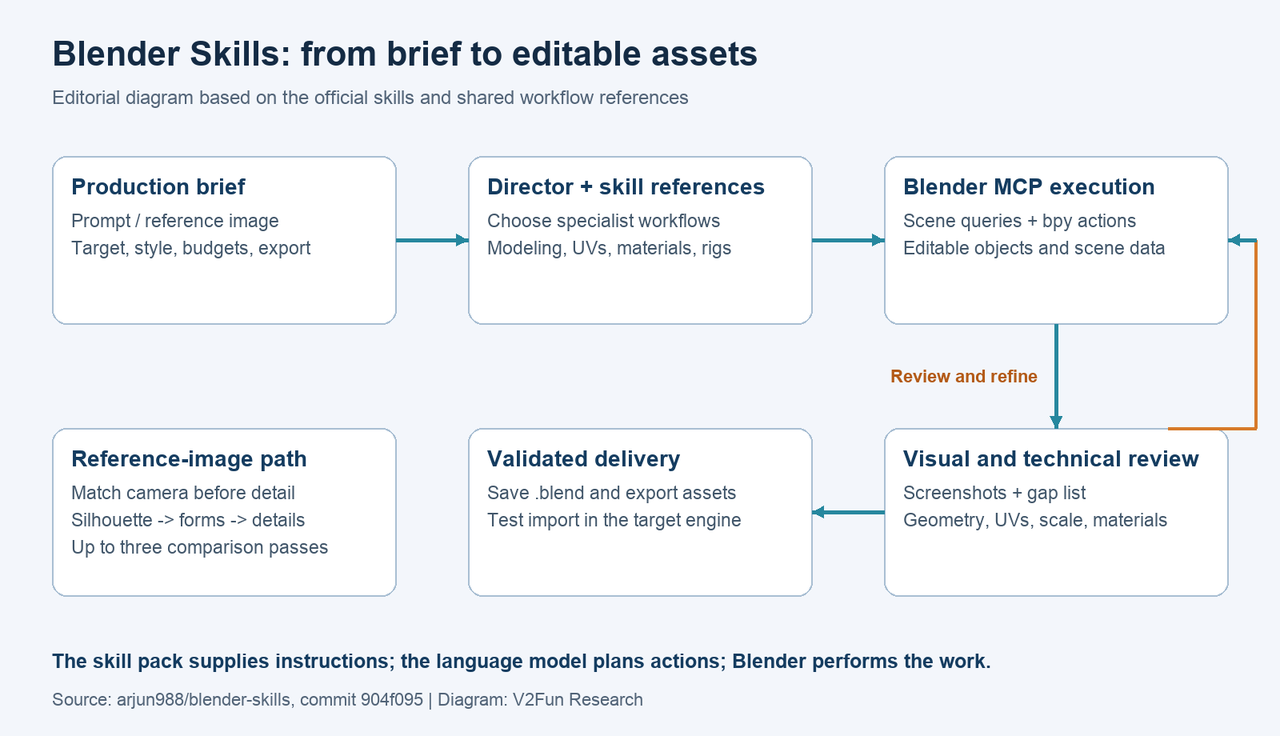
The execution layer is the separate BlenderMCP project. The agent queries the live scene, checks available tool schemas, and performs operations through dedicated tools or Python bpy code inside Blender. The supplied configuration launches blender-mcp and connects to the local Blender add-on on port 9876. Geometry, materials, cameras, collections, and modifiers remain ordinary scene data. There is no latent-space denoising loop here: the intermediate state is an explicit scene plus the agent’s brief, action sequence, and validation results. Connection configuration; tool and bpy reference.
Reference matching has a concrete order. The agent first records proportions, camera, lighting, materials, palette, and distinctive features. It matches the camera before detailing geometry, then builds silhouette, major forms and panel breaks, and finally small details. Materials and lighting follow. After each major phase, viewport captures or renders are compared with the reference; a prioritized gap list drives corrections, with at most three comparison passes. This is iterative visual matching, not an assurance of exact reconstruction from one photograph. Reference-image workflow.
Technical review complements the visual loop. The instructions query object and triangle counts, materials, collection membership, pivots, and transforms. Non-destructive defaults retain backups and delay applying modifiers until needed. Export is gated by optimization checks, followed by a test export and inspection in the target engine for scale, axes, normals, materials, animation, and collision. GLB, FBX, USD, and Alembic serve different delivery needs; selecting a format does not automatically solve compatibility. Execution rules; export pipeline.
Applications, Availability, and Future Directions
The pack fits structured prop creation, modular environments, reference-based scene work, and engine handoff where artists want inspectable objects and a repeatable review process. It is MIT-licensed and documents use with Cursor, Claude Code, Kiro, and Codex. Live execution requires an agent with usable skills, Blender, and the separate MCP connection. The checked MCP configuration uses Windows-specific cmd /c, so it is not a universal configuration to copy unchanged. Setup guide; shipped configuration.
The official roadmap lists parallel multi-agent execution, a Blender–Substance Painter handoff, and a dedicated USD pipeline as planned work. Its version labels lag the v1.3.0 changelog, so these are recorded intentions rather than release promises; existing generic USD export is distinct from that planned dedicated pipeline. This review reads commit 904f095 and the official site as of November 17, 2026, without running a modeling benchmark. Roadmap; changelog.
FAQ
Do 94 skills mean 94 separate AI agents?
No. They are specialist instruction packages selected by the host agent. Parallel multi-agent orchestration remains a roadmap item. [Roadmap](https://github.com/arjun988/blender-skills/blob/904f095d8f36a6e72adaebb08d07f884a074743d/ROADMAP.md).
Can I use it without Blender MCP?
The documented fallback can provide plans, bpy scripts, and manual validation checklists. Executing the workflow in a live Blender scene requires a working MCP connection. [Fallback rules](https://github.com/arjun988/blender-skills/blob/904f095d8f36a6e72adaebb08d07f884a074743d/.claude/skills/references/mcp-integration.md).
Does passing the visual checklist make an asset game-ready?
No. Visual similarity and technical delivery are separate checks. Topology, budgets, UVs, transforms, materials, and target-engine import still need verification. [Export requirements](https://github.com/arjun988/blender-skills/blob/904f095d8f36a6e72adaebb08d07f884a074743d/.claude/skills/export-pipeline/SKILL.md).