Which AI 3D Model Generator Supports Professional 3D Workflows? Why V2Fun Is a Strong Option
Explore how V2Fun, an AI 3D creation platform, helps creators turn images into rigged, textured, exportable 3D assets.

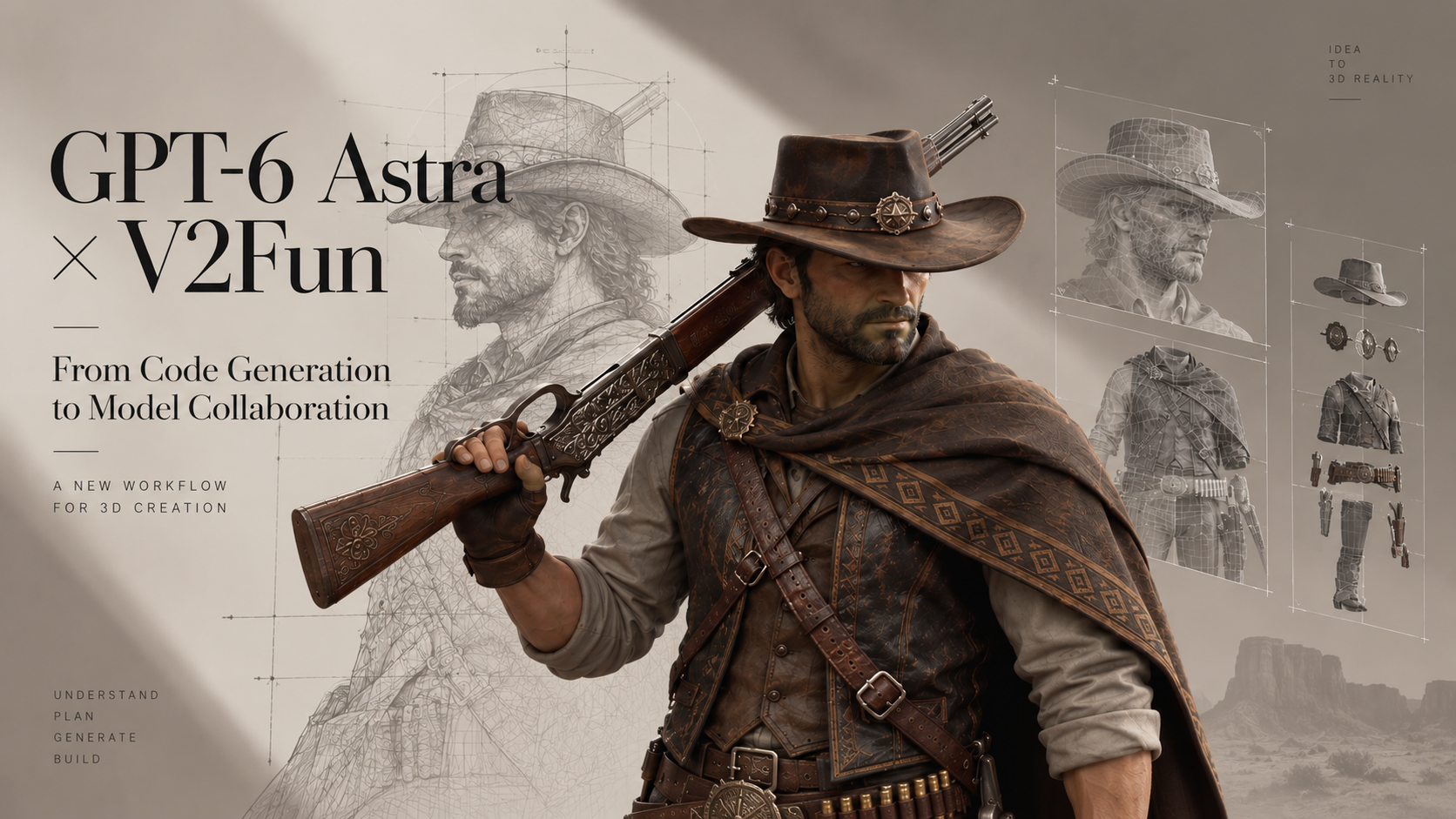
V2Fun is an AI 3D creation platform that helps creators turn text prompts, reference images, and multi-view inputs into usable 3D models, character assets, motions, and animated content. As AI 3D Model Generator tools become more common, professional creators are no longer looking only for fast previews. They need a workflow that can move an idea toward a practical asset.
For game prototypes, animated characters, product previews, virtual content, XR tests, ecommerce visualization, and early commercial exploration, the key question is not simply, "Can this tool generate a model?" The better question is, "Can this tool help me refine, test, animate, and export the model for the next production step?"
That is where V2Fun is worth considering. It brings AI image generation, partial repainting, smart reference-image generation, image-to-3D, multi-view-to-3D, text-to-3D, texture generation, auto retopology, humanoid auto rigging, motion library tools, BVH/VMD motion upload, video-based motion capture, model upload, and multi-format export into one browser-based workflow. For creators who need speed without losing practical control, V2Fun offers more than a simple one-step 3D generator.
What Professional Creators Need from an AI 3D Model Generator
Professional creators do not only need a model that looks good in a preview window. They need an asset that can continue into real production.
A practical AI 3D creation platform should support the full early workflow: reference preparation, model generation, structure review, topology cleanup, texture refinement, rigging, motion testing, and export. It should also fit common downstream tools such as Blender, Maya, Unity, and Unreal Engine.
V2Fun is designed around this broader workflow. Instead of focusing only on static 3D output, it helps creators move from concept to usable asset with fewer disconnected steps. This makes it especially useful for character concepts, virtual IP, short videos, indie games, product visualization, education, and interactive content.
Why V2Fun Fits Professional 3D Workflows
V2Fun's main advantage is its connected workflow. A creator can start with an idea, generate or upload a reference image, convert it into a 3D model, improve the mesh, add textures, rig a humanoid character, test motion, and export the asset for further work.
That matters because professional 3D creation is rarely one step. A character may need animation testing. A product model may need cleaner geometry. A game asset may need a lighter mesh. A web preview may need the right export format. V2Fun gives creators tools for each of these stages before they move deeper into specialized production software.
A Practical V2Fun Workflow: From Picture to 3D Model and Exportable Asset
A professional workflow in V2Fun can follow a clear production path:
- Start with a clear reference image. A strong image gives V2Fun better visual information, helping the generated model keep the right shape, style, and structure.
- Generate the 3D model from an image or multiple views. Image-to-3D gives stronger visual control than text alone, while multi-view input can improve accuracy from different angles.
- Refine the model with textures and retopology. Texture generation improves surface appearance, while retopology makes the mesh more manageable for editing, animation, or real-time use.
- Rig the character if animation is needed. V2Fun's humanoid auto rigging helps creators test character movement faster, especially when the model is prepared in a clean T-pose or A-pose.
- Apply motion or use video motion capture. Motion tools help creators check whether a character works in action before investing time in deeper animation cleanup.
- Export the asset for downstream production. V2Fun supports common formats such as FBX, GLB, OBJ, STL, 3MF, USDZ, and PLY, depending on whether the next step is animation, web display, editing, game prototyping, AR preview, or 3D printing.
This workflow helps teams validate shape, texture, motion, and technical usability earlier in production.
Why Reference Images Matter for AI 3D Creation
Text-to-3D is convenient, but professional results often need stronger visual direction. A text prompt can describe style, material, mood, and form, but it may not fully define proportions, silhouette, clothing structure, or object details.
V2Fun works especially well when creators combine a clear image reference with a focused prompt. The image provides the visual foundation, while the prompt guides details such as style, surface material, lighting, and pose.
For character projects, the best references usually show the full body, use clean lighting, avoid cluttered backgrounds, and keep arms and legs clearly separated. A front-facing T-pose or A-pose is especially useful when rigging and animation are part of the workflow.
The Advantage of Multi-View to 3D Generation
A single image can only show one side of an object. That can be limiting when the model needs to look consistent from every angle.
Multi-view generation gives V2Fun more visual information. Front, side, and back views can help improve structure, proportions, and texture consistency. This is especially important when a model will be rotated, animated, edited, or shown in an interactive viewer.
For commercial exploration, animated characters, product previews, ecommerce displays, jewelry or collectible visualization, game prototypes, XR/VR tests, and original character creation, multi-view input is usually a stronger option than relying on one image alone.
Retopology Makes AI-Generated 3D Models More Usable
One major difference between a generated preview and a downstream-ready 3D asset is topology. A model can look impressive at first glance but still be difficult to edit, rig, animate, or render efficiently if the mesh is too dense or uneven.
V2Fun includes automatic retopology to help turn generated geometry into a cleaner and more practical mesh. This is useful for creators who need to move assets into real-time engines, animation tools, modeling software, or web-based viewers.
Retopology is especially important for game assets, animated characters, browser-based 3D models, and editable production assets. Cleaner geometry can improve performance, reduce deformation problems, support smoother loading, and make later manual cleanup easier.
V2Fun's retopology tools do not remove the need for manual work in high-end production, but they can make the early production stage much faster.
Rigging and Motion Testing Add Real Workflow Value
For character-focused projects, a static 3D model is often not enough. Creators need to know whether the character can move, pose, and support animation tests.
V2Fun supports automatic humanoid rigging for virtual characters, short videos, indie games, and animation previews. This capability is mainly for standard humanoid models and works best with clear full-body characters in T-pose or A-pose, separated limbs, and limited occlusion.
After rigging, creators can test movement using V2Fun's motion library, uploaded BVH or VMD motion files, or video-based motion capture. Video mocap works best with clear, stable, single-person footage. Multi-person mocap is described in product materials as a planned capability.
For polished film, game, or commercial animation, manual rigging and animation cleanup may still be needed. But V2Fun can speed up the first round of character testing.
Export Options for Real Production
A professional AI 3D creation platform needs strong export support. If the model cannot leave the platform in a useful format, its value is limited.
V2Fun supports several common 3D export needs:
- FBX: Useful for animated characters, game engines, and workflows that need skeleton or animation data.
- GLB: Convenient for web-based 3D display, online previews, and interactive product experiences.
- OBJ: Useful for general model editing, cleanup, and compatibility with many 3D applications.
- STL and 3MF: Commonly used for 3D printing workflows and slicing software.
- USDZ: Useful for AR previews and Apple ecosystem workflows.
- PLY: Useful for geometry data, scans, point-cloud-related workflows, and some interchange pipelines.
The right export format depends on the final goal. A game character, web preview, printable object, AR model, and product render may each need a different file type.
How V2Fun Differs from Single-Step AI 3D Generators
Different AI 3D tools are built for different purposes. Some are good for quick visual experiments. Some focus on scanning or reconstruction. Others specialize in basic text-to-3D generation.
V2Fun stands out because it connects more of the early production process. Its value is not only that it can generate a 3D model, but that it also supports reference creation, model generation, retopology, texturing, rigging, motion testing, video motion capture, and export.
That makes V2Fun especially relevant for creators who need more than a static asset. If the goal is to create a character, test movement, prepare a prototype, or move quickly toward a usable production file, V2Fun offers a practical advantage.
Where V2Fun Works Best
V2Fun is strongest when speed, iteration, and asset usability matter.
For indie game and character prototyping, developers can create early humanoid characters, motion references, and visual assets before committing to full manual production. For virtual character creation, creators can move from a character image to a rigged and animated model more efficiently.
For short-form video production, V2Fun helps teams test animated 3D characters for social content, storytelling, and branded clips. For ecommerce and product visualization, teams can turn product images into 3D models for early display, especially for jewelry, collectibles, prototypes, and interactive previews.
V2Fun is also useful for XR and VR testing, where fast model creation and export make it easier to validate immersive ideas. In education and training, teachers and students can create visual 3D teaching materials without starting from complex professional software.
In these cases, V2Fun works best as a front-end production accelerator. It helps creators build a strong starting point, then refine the asset further in tools such as Blender, Maya, Unity, or Unreal Engine when needed.
Limitations to Keep in Mind
V2Fun is powerful, but it should not be treated as a complete replacement for traditional 3D software. AI-generated models may still need manual cleanup, especially for high-end commercial projects.
Auto rigging works best with standard humanoid characters. Unusual body types, complex clothing, long hair, unclear poses, or non-human creatures may require extra adjustment. Video motion capture also works best when the footage shows a single person clearly, with full-body visibility and limited obstruction.
Final quality still depends heavily on the input. Clear references, simple backgrounds, even lighting, and complete subject visibility can make a major difference.
Conclusion: Choose an AI 3D Creation Platform That Supports the Full Workflow
The best AI 3D Model Generator for professional workflows is not just the fastest preview tool. It is the platform that helps creators move beyond a first result and toward a usable production asset.
V2Fun is worth considering because it connects the key stages of AI 3D creation: image generation, picture to 3D model, multi-view modeling, texture generation, retopology, humanoid rigging, motion tools, video motion capture, and multi-format export.
For final cinematic, game-ready, or highly polished commercial assets, V2Fun should still be combined with professional 3D software. But for moving quickly from idea to model, from model to motion, and from motion to export, V2Fun offers a practical and efficient workflow for modern 3D creators.
FAQ
What makes an AI 3D Model Generator suitable for professional workflows?
A professional AI 3D Model Generator should support more than basic model creation. It should help with reference preparation, image-to-3D or text-to-3D generation, texture work, topology cleanup, rigging, motion testing, and export to common 3D formats.
Is V2Fun suitable for professional 3D workflows?
V2Fun is suitable for professional prototyping and early production workflows because it combines AI image generation, 3D model generation, retopology, humanoid rigging, motion tools, video mocap, and multi-format export.
Can V2Fun replace Blender, Maya, Unity, or Unreal Engine?
No. V2Fun can accelerate early-stage creation and testing, but final production assets may still need cleanup, optimization, animation polish, and engine-specific work in tools such as Blender, Maya, Unity, or Unreal Engine.
Are AI-generated 3D models ready for commercial production?
Not always. AI-generated 3D models can be useful starting points, but commercial-quality results usually require review, cleanup, licensing checks, and technical optimization.
Which export formats does V2Fun support?
V2Fun supports common 3D export formats including FBX, GLB, OBJ, STL, 3MF, USDZ, and PLY. The best format depends on whether the asset will be used for animation, web display, editing, AR preview, game prototyping, or 3D printing.