PartBloom: 3D Models Built in Parts
PartBloom is an open-source framework that transforms a single image into a modular 3D model with separately exportable parts, leveraging LLMs for structure and TRELLIS for detail.

Highlights and Results: From One Image to Separate Parts
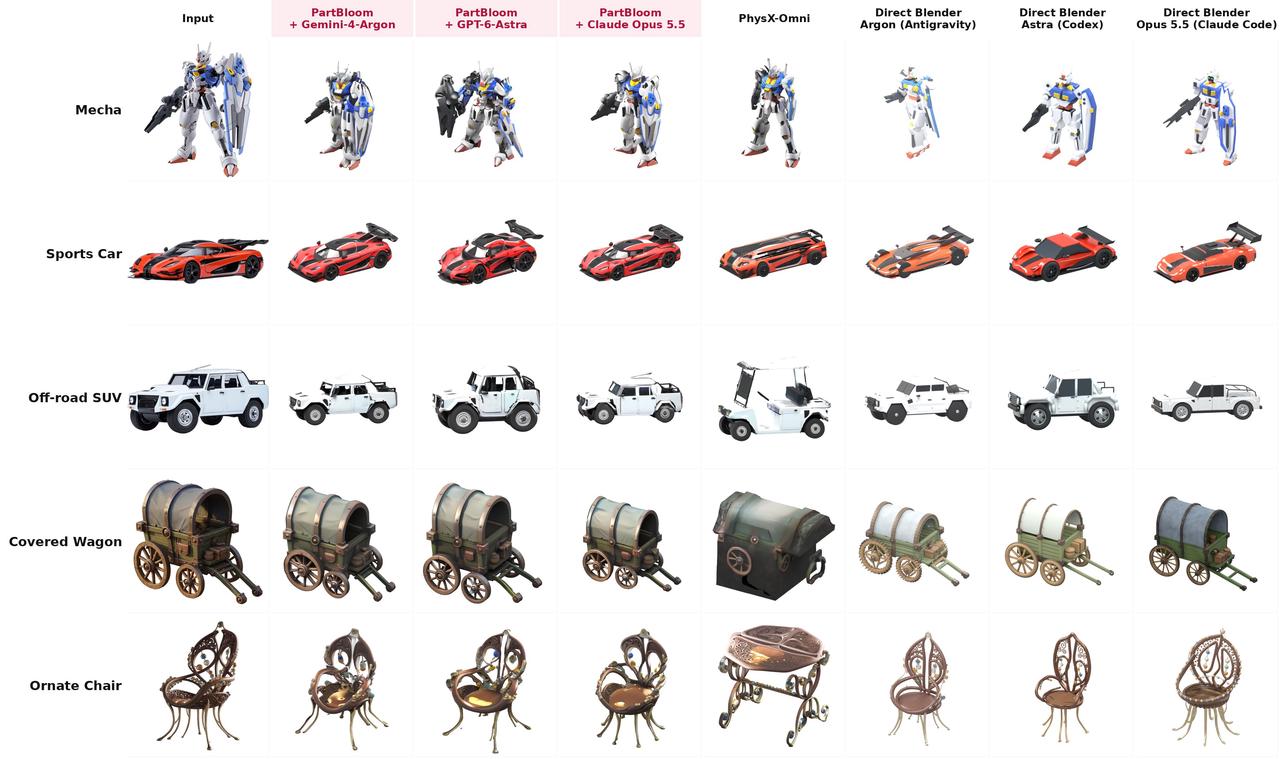
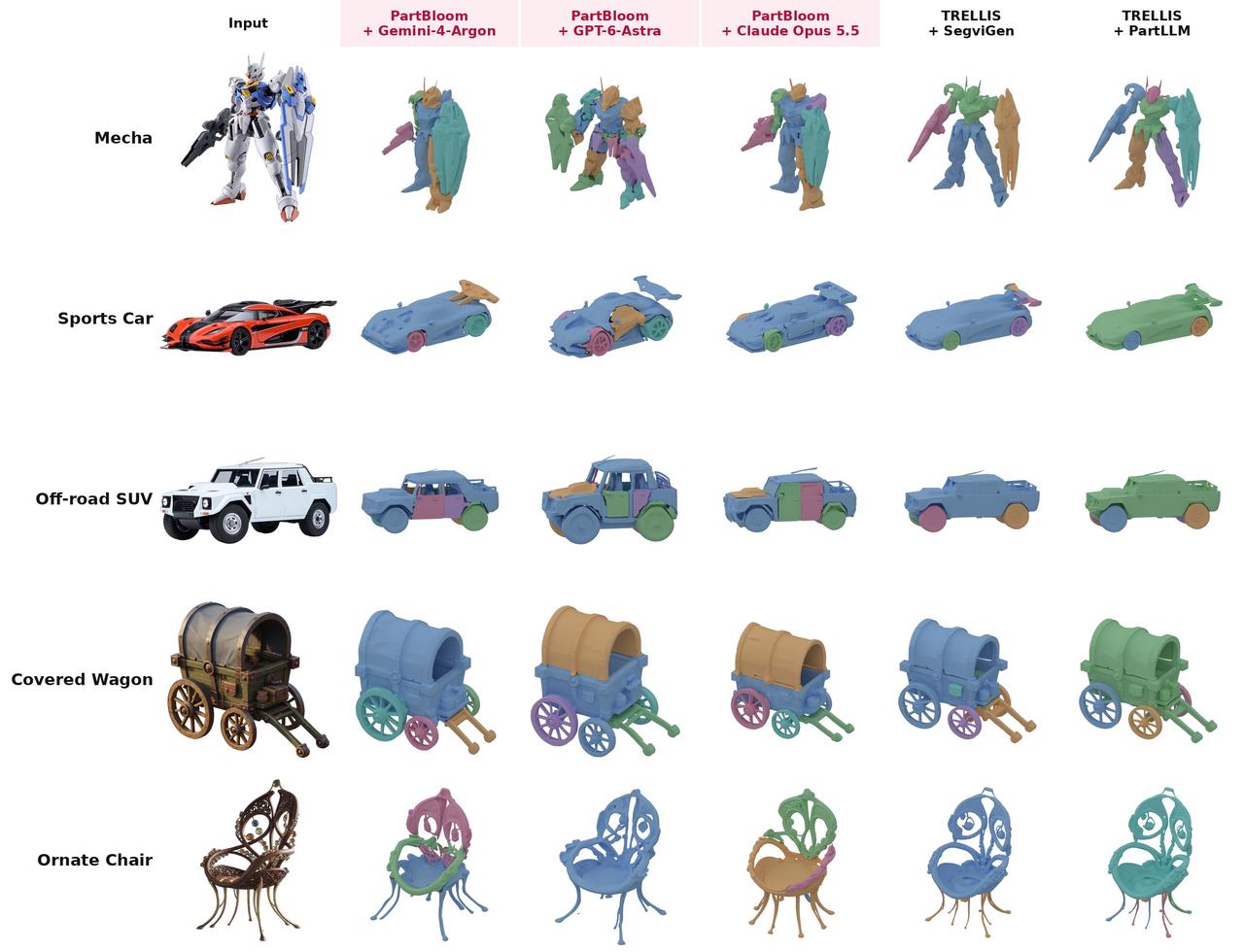
PartBloom is an open-source framework that turns a single image into a 3D model with separate parts. Its core idea is simple: an LLM builds the structure, then TRELLIS adds detail. Parts are planned around their functions and relative motion, allowing components such as a vehicle body and wheels to be exported separately. The coarse model aims to preserve openings and connections, making the result easier to edit, replace, and assemble.
The project presents 14 single-image examples, generation and decomposition comparisons, and rigged animation demonstrations. The two figures below illustrate overall detail and part boundaries. These qualitative examples suggest potential, but do not establish consistent superiority over other methods. This article is based on the README and source code; we have not run generation tests.
How It Works: Planning, Refinement, and Part Decoding
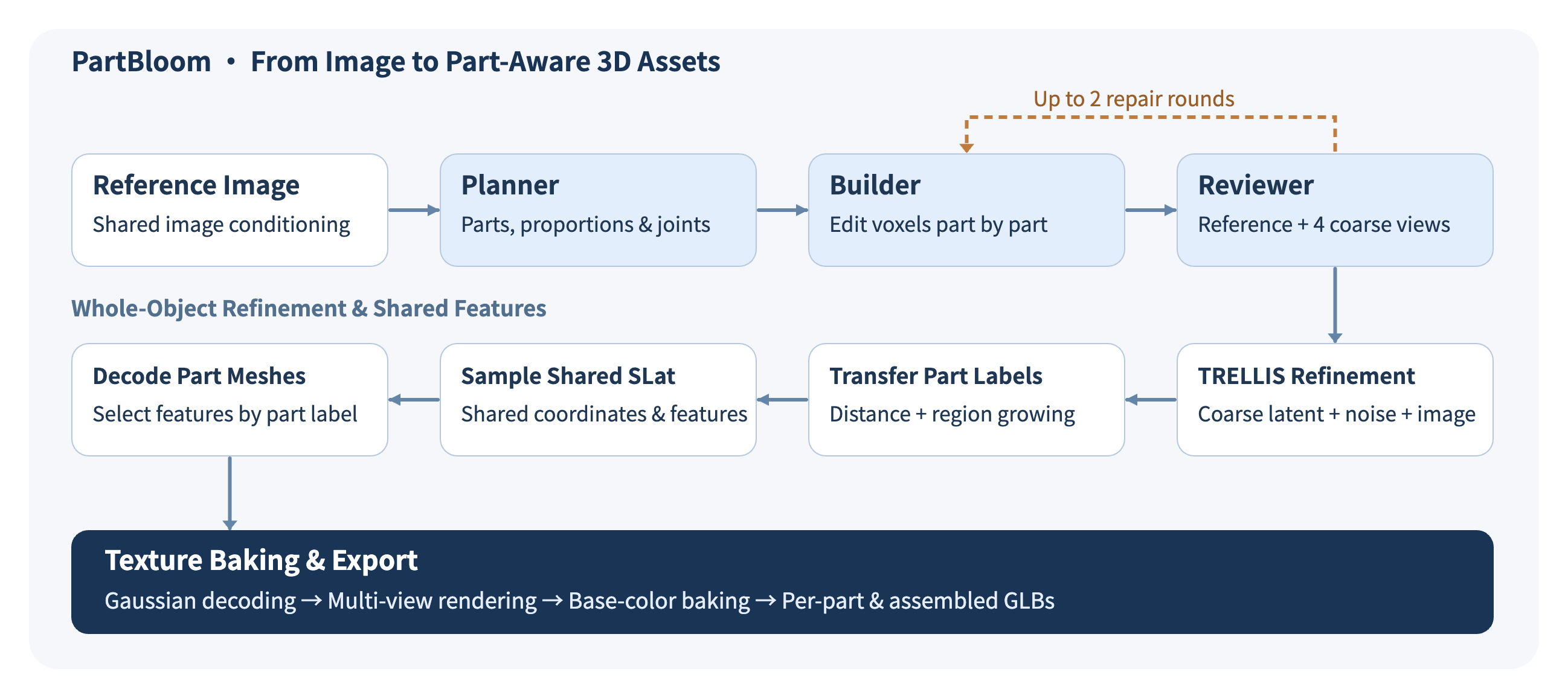
The first stage orchestrates three LLM roles. The Planner produces a part graph describing functions, bounding boxes, parent–child relationships, connection locations, and expected motion. The Builder then edits a binary voxel mask for each part in a shared 64³ grid using polygon, brush, move, and clear tools. Like building with blocks, these operations create actual coarse geometry. The Reviewer compares the reference image with four views of the proxy, checking proportions, missing parts, connections, and openings. It can trigger up to two repair rounds.
The second stage reuses pretrained TRELLIS weights. The coarse model’s combined surface-support coordinates are expanded by one cell along the six face-neighbor directions, then encoded into a structure latent by the sparse-structure VAE. After mixing this encoding with Gaussian noise, the flow model samples from t=0.65 to t=0 in 12 steps by default, guided by the reference image, before decoding the refined structure. The proxy therefore provides an editable spatial prior, although refinement can still remove small parts.
Distance-based assignment and connected region growing transfer the part labels to the refined structure. The pipeline then samples one shared SLat for the whole object: a set of features associated with spatial coordinates. These are distinct operations—the structure latent is initialized from the proxy, while the detailed SLat is generated anew. In the default parts mode, features are selected by part label and decoded into separate meshes. In joint mode, the full SLat is decoded into higher-resolution features before extracting each part’s mesh. Shared generation context supports consistency, but does not guarantee correct seams.
Appearance comes from each part’s slice of the same SLat through Gaussian decoding, multi-view rendering, and texture baking. The output contains baked base color and should not be mistaken for a complete PBR material set. Deliverables include planning and proxy data, independent meshes, textured per-part GLBs, the assembled assembly_textured.glb, preview images, and run logs. Together, they support inspection, editing, and troubleshooting.
Applications and Outlook: From Separate Parts to Usable Assets
Potential uses include animation prototyping, exploded product views, and assembly education. Separate meshes still require rigging for skeletal animation. Physical printing also requires work on tolerances, interfaces, and wall thickness. Because unseen geometry is inferred from a single image, the output should not be treated as precise reverse engineering.
Deployment requires an LLM API, a CUDA environment, TRELLIS and DINOv2 weights, and Blender 4.5. The PartBloom repository uses the MIT license, but its PhysX-Omni dependency uses S-Lab License 1.0, which restricts commercial use.
The official roadmap includes rigging and a move to TRELLIS.2. Further research could explore multi-view constraints, connection checks, and local regeneration. Measuring part retention, seam quality, runtime, and cost would help establish how reliably this approach can support production workflows.
Sources: Repository and roadmap; Agent prompts; Refinement pipeline; Texture export.
FAQ
What does PartBloom create from a single image?
PartBloom turns one reference image into a 3D model with separately editable parts. For example, a vehicle’s wheels can be exported as individual meshes, so you can rotate or replace a wheel while keeping the body in place.
How does PartBloom decide where one part ends and another begins?
It starts by asking what each component does and how it moves relative to its neighbors. A language model uses that plan to build a rough 3D shape for each part. TRELLIS then refines the geometry using the reference image as a guide.
What files does PartBloom export?
You get a textured GLB file for each part and an assembly_textured.glb file showing the whole object. Choose a per-part file to edit one component, or open the assembly to inspect how the pieces fit together. The textures include baked base color only.
How accurate are parts that are hidden in the image?
PartBloom infers hidden surfaces from the visible shape. A wheel may look convincing from the side while its hidden connection to the axle still needs adjustment. Small parts can also disappear during refinement, so inspect the model from several angles before relying on the fit.