AI Creative Generation: Creating Images and Videos in One Place with Krea
Build an AI 3D creation platform workflow by using Krea for image and video ideation, then V2Fun for 3D models, animation, and production assets.
Creative ideas rarely arrive as finished assets. A campaign may begin with a short prompt, a rough reference, or an early concept image. The team then needs to compare visual directions, refine the strongest option, produce still images, add motion, and prepare the result for its final channel.
Modern production may also extend beyond two-dimensional content. A character concept might need to become a 3D model, a product visual may develop into a digital asset, or an approved design may require animation and motion control. An effective AI 3D creation platform workflow connects these stages without expecting one tool to perform every task.
Krea can serve as the image and video ideation workspace in this process. V2Fun can support the specialized 3D stage when a selected concept needs to become a model, character, motion asset, or another 3D deliverable. The platforms have different roles, but they can contribute to the same broader creative pipeline.
This guide examines how creators can use Krea for visual exploration, editing, enhancement, and video generation before moving approved concepts into a V2Fun 3D workflow. It describes a practical handoff rather than a native one-click integration between the platforms.
Why Unified AI Creative Workflows Matter
Fast generation does not automatically create an efficient production process. If images are produced in one application, edited in another, animated somewhere else, and prepared for delivery in a fourth tool, every transfer can remove useful context.
Prompts may be lost. References can become disconnected from their outputs. Team members may struggle to identify which image represents the approved direction. Visual details can also drift as assets move between still images, videos, and 3D production.
A more connected workflow keeps the creative brief, reference material, iterations, and selected results organized for as long as possible. This does not eliminate the need for specialized tools. Instead, it gives each tool a defined role and creates deliberate approval points between stages.
For creators, the goal is not simply to reduce the number of applications. The goal is to shorten the distance between identifying a problem and testing the next solution.
Krea as a Unified Workspace for Image and Video Ideation
Krea is an AI creative suite for generating, editing, and enhancing images and videos. Rather than limiting a project to a single generative model, its workspace allows creators to explore different tools and visual approaches within a shared environment.
Explore Multiple Image Directions
A creator can begin with a text description, upload visual references, test different styles, and compare several interpretations of the same brief. This is useful during early concept development, when composition, lighting, color, and visual language may still be open questions.
A product can be presented in different settings. A character can be tested across illustrative, cinematic, photographic, or graphic styles. A campaign team can evaluate multiple art directions before committing production time to one option.
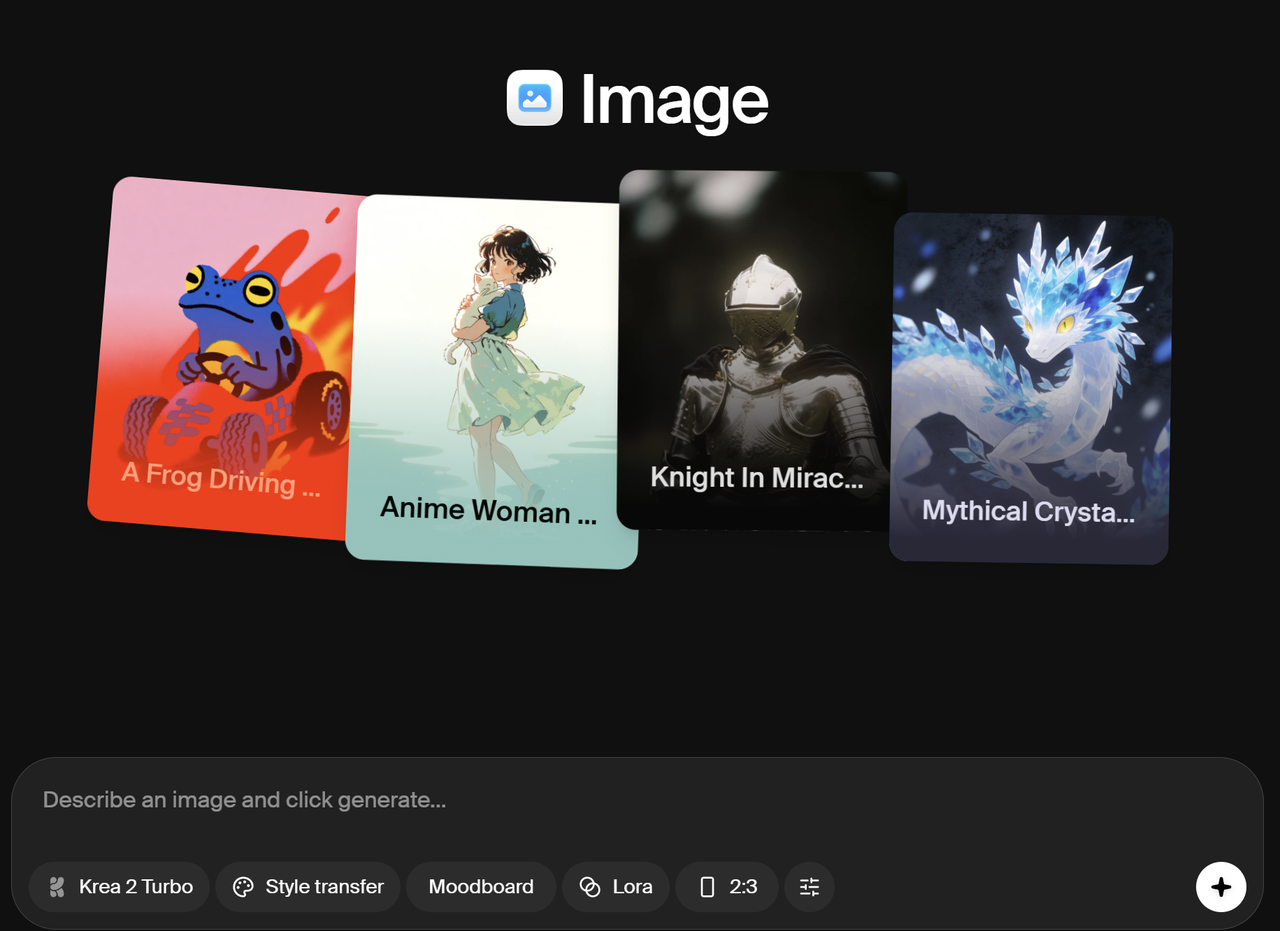
The value of this stage comes from comparison. A single polished output may look impressive, but a useful concept workflow helps the team understand why one direction is stronger than the alternatives.
Refine the Selected Visual
After a direction is selected, Krea's editing tools can support tasks such as changing a background, removing or replacing elements, expanding a composition, combining references, and making targeted prompt-based adjustments.
Keeping exploration and refinement close together reduces the need to rebuild the context in another application. Early generations can remain useful as references, mood-board material, alternate compositions, or starting points for later motion work.
Turn Still Images into Moving Sequences
Once the visual direction is established, creators can continue into video. Krea supports video generation from text and images, allowing a selected frame to become the basis for a moving sequence. Clips can then be extended, compared, refined, enhanced, and prepared for delivery within the broader workflow.
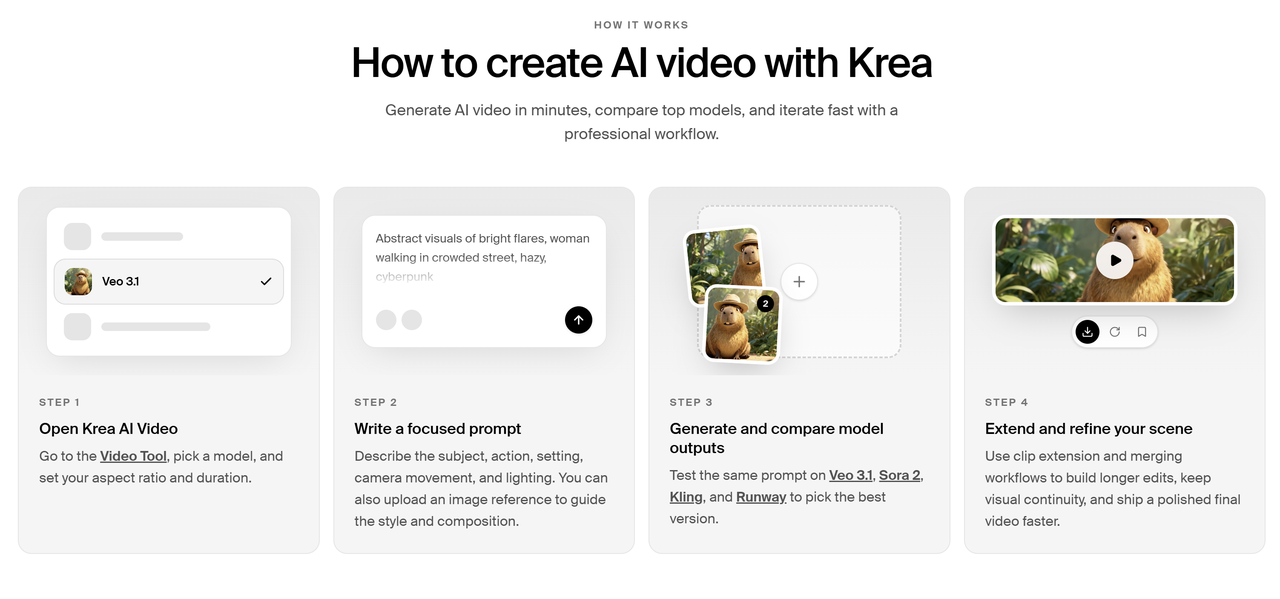
This connection between still images and motion is especially useful for campaign development, storyboards, product visualization, concept films, and short-form content. A strong image does not need to be discarded when the project moves into video; it can continue functioning as a visual anchor.
A Practical Animation Workflow from Concept to Motion
A structured animation workflow helps teams move quickly without confusing experimentation with approval. The following sequence can be adapted to individual projects or collaborative production environments:
- Define the destination. Identify the required channels, aspect ratios, duration, visual style, and whether the final project will remain 2D or move into 3D.
- Generate initial directions. Use prompts and visual references in Krea to explore different compositions, moods, environments, and character or product treatments.
- Compare and select. Review the alternatives against the creative brief rather than choosing an image only because it is visually striking.
- Edit the approved frame. Correct individual elements, adjust the background, expand the composition, or combine useful references.
- Enhance when necessary. Improve the selected visual for its intended presentation size and use case.
- Create motion tests. Use the approved image or prompt direction to generate video options, then compare movement, framing, timing, and continuity.
- Review before delivery or 3D handoff. Confirm that the final visuals communicate the intended design before using them in campaign production or as references for a 3D asset.
This sequence keeps creative iteration flexible while establishing clear decision points. It also makes failures more useful: an unsuccessful animation may reveal that the source frame, pose, composition, or motion description needs to be revised.
Keeping Image and Video Assets Consistent
Campaigns increasingly require multiple formats. A launch may need a website hero image, vertical social video, advertising variants, product visuals, storyboards, and moving versions of the same concept.
When each asset is recreated independently, characters, products, lighting, and environments can drift. A shared workspace helps creators reuse approved references and visual language across formats. A still frame can establish the composition of a video, while an edited image can become the reference for another scene.
A unified workspace cannot guarantee perfect consistency. Generative outputs still require comparison and human review. It can, however, make the reference chain easier to follow and reduce unnecessary restarts.
This approach is useful for:
- Creative and advertising teams developing campaign directions
- Designers producing visual concepts and presentation assets
- Brands creating product imagery and social content
- Filmmakers building treatments, storyboards, and proof-of-concept sequences
- Content creators turning still images into short-form video
- Teams comparing AI tools and models within a coordinated process
Extending the Pipeline with an AI 3D Creation Platform
Not every visual project needs a 3D stage. If the final deliverables are images, storyboards, advertisements, or short videos, Krea may remain the main creative environment.
The requirements change when an approved concept needs to become a 3D character, model, prop, textured asset, animation, or another spatial deliverable. At that point, a specialized AI 3D creation platform can extend the pipeline.
V2Fun is designed for generating, animating, and controlling 3D characters, models, and motions. In a combined workflow, Krea can support visual discovery and presentation, while V2Fun can support the move from an approved concept toward a usable 3D asset.
Where an AI 3D Model Generator Fits
An AI 3D Model Generator is most useful after the team has clarified the visual direction. A possible handoff looks like this:
- Use Krea to explore the character, object, environment, style, and presentation.
- Select and refine the images that best communicate the approved design.
- Organize the strongest visuals as reference material for the 3D stage.
- Use V2Fun when the project requires a 3D model, textured asset, character, animation, or motion workflow.
- Review the generated result against the original concept and the intended production context.
- Validate any required geometry, textures, scale, motion behavior, and downstream compatibility before final use.
This should be treated as a managed handoff, not an automatic one-click conversion. The team still needs to transfer references, evaluate results, and apply the technical checks required by its renderer, game engine, animation pipeline, digital-human system, or 3D printing process.
Who Benefits from This Workflow?
A connected image-to-video-to-3D process can support several creator groups:
- Game developers can explore characters, props, and environments visually before committing to a 3D direction.
- 3D artists can use approved concept images to clarify form, materials, mood, and presentation before asset production.
- Animators can test movement ideas in video and then evaluate how the chosen direction should translate into 3D motion.
- Indie creators can reduce early production overhead by developing visual references before investing in specialized asset work.
- Digital human creators can establish appearance, styling, and presentation references before moving into character and motion development.
- 3D printing users can explore visual concepts first, while separately validating geometry, scale, and print requirements before fabrication.
- Creative teams and brands can produce campaign imagery and motion content while maintaining a path toward interactive or spatial assets.
Best Practices for Image-to-Video-to-3D Production
Start with the Final Use Case
A social video, a game character, a rendered product model, and a printable object have different requirements. Define the intended destination before generating large numbers of concepts.
Preserve Prompts and References
Keep the brief, prompts, source images, approved outputs, and revision notes together. This record helps the team understand which visual decisions must survive the transition into video or 3D.
Approve Design Before Technical Production
Resolve major questions about silhouette, proportion, style, color, and identity before starting detailed 3D or animation work. Generative exploration is inexpensive only when the team is willing to make decisions.
Separate Visual Approval from Technical Validation
An appealing render is not automatically ready for production. Review the final asset according to the technical requirements of its destination, including geometry, textures, motion, scale, compatibility, and delivery format.
Use Human Review at Every Handoff
AI can accelerate options and revisions, but creators still need to judge brand accuracy, visual continuity, physical plausibility, rights, and production suitability.
Krea and V2Fun: Complementary Roles
Krea and V2Fun do not need to perform the same job.
- Krea's role: image ideation, visual comparison, editing, enhancement, video generation, and motion exploration.
- V2Fun's role: AI-assisted generation, animation, and control of 3D characters, models, and motions.
- The shared workflow: move from a broad set of creative possibilities to an approved visual direction, then carry that direction into the production stage that requires 3D.
The value comes from orchestration. Krea helps creators discover and communicate the idea. V2Fun provides a path for developing selected concepts as 3D assets and motion-based deliverables.
Build a Connected AI 3D Creation Platform Workflow
The strongest creative AI workflow is not necessarily the one with the most tools. It is the one that preserves useful context while giving every platform a clear production role.
Krea can keep image generation, editing, enhancement, and video exploration connected during the early and middle stages of a project. V2Fun can extend the approved direction when the project requires an AI 3D creation platform, an AI 3D Model Generator, or a more specialized 3D animation workflow.
Use Krea to find and communicate the visual idea. Then explore V2Fun when that idea needs to become a 3D model, character, animation, or motion asset. Teams planning a technical implementation can also review the V2Fun API documentation.
Official Resources
Krea
- Krea Official Website
- Krea AI Image Generator
- Krea AI Video Generator
- Krea AI Image Editor
- Krea User Guide
- Krea Press Kit
V2Fun
FAQ
What is an AI 3D creation platform?
An AI 3D creation platform helps creators generate, animate, or control 3D characters, models, and motions. V2Fun can support this stage when a visual concept needs to move beyond images and video.
How does Krea fit into a 3D production workflow?
Krea can be used to explore image concepts, edit selected visuals, and create video or motion references. These approved outputs can then guide a separate V2Fun workflow for 3D models, textured assets, characters, or animation.
Can Krea and V2Fun be used in the same animation workflow?
Yes. Krea can support visual ideation and image-to-video development, while V2Fun can handle the specialized 3D and motion stage. This complementary workflow does not imply a native one-click integration between the two platforms.
What should teams review before using an AI-generated 3D asset?
Review visual accuracy, geometry, textures, scale, motion behavior, usage rights, and compatibility with the intended renderer, game engine, animation pipeline, or 3D printing process.
Related Articles
AI 3D Creation Platform vs Keyframe Animation: When to Use Each
 V2Fun · Jul 22, 2026
Which AI Platform Is Best for 2D-to-3D Character Creation and Animation? Why V2Fun Is a Strong Option for AI 3D Workflows
V2Fun · Jul 9, 2026
AI 3D Animation Workflow for First-Playable Game Prototypes
V2Fun · Aug 11, 2026